

YouTube Effect Maker
Nano Banana
Summer Vibes
Challenge
Prompt, generate and publish photorealistic, super precise images inspired by what summer has to offer: travel, festivals, enjoying the outdoors and the beach, and most importantly tons of fun.
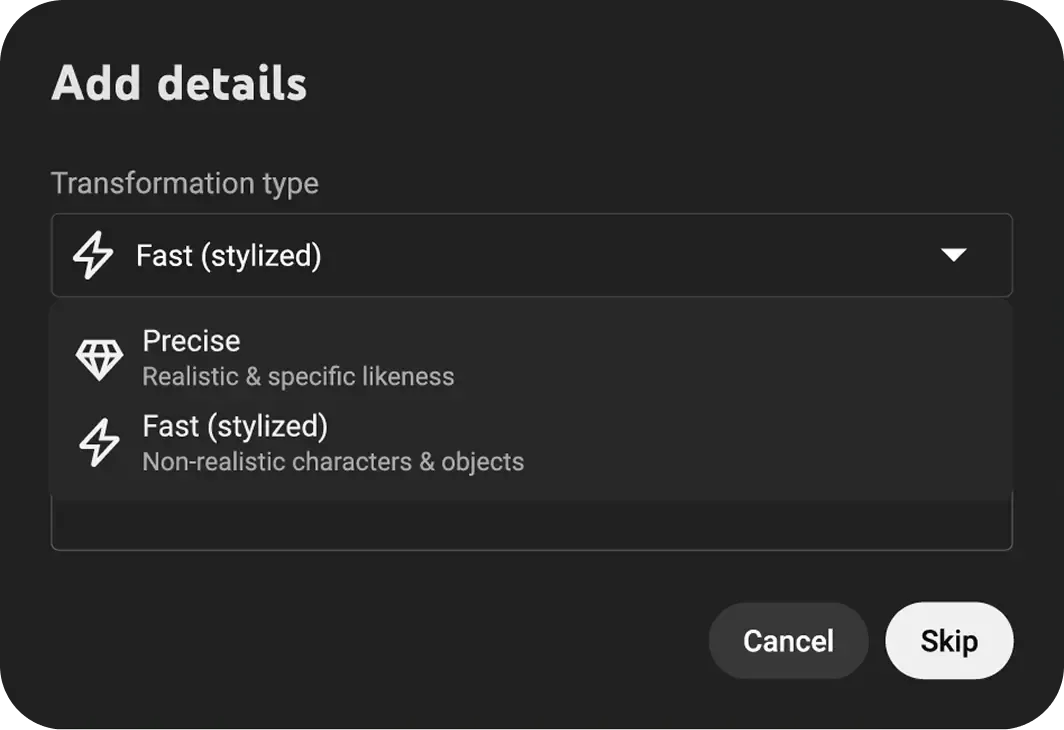
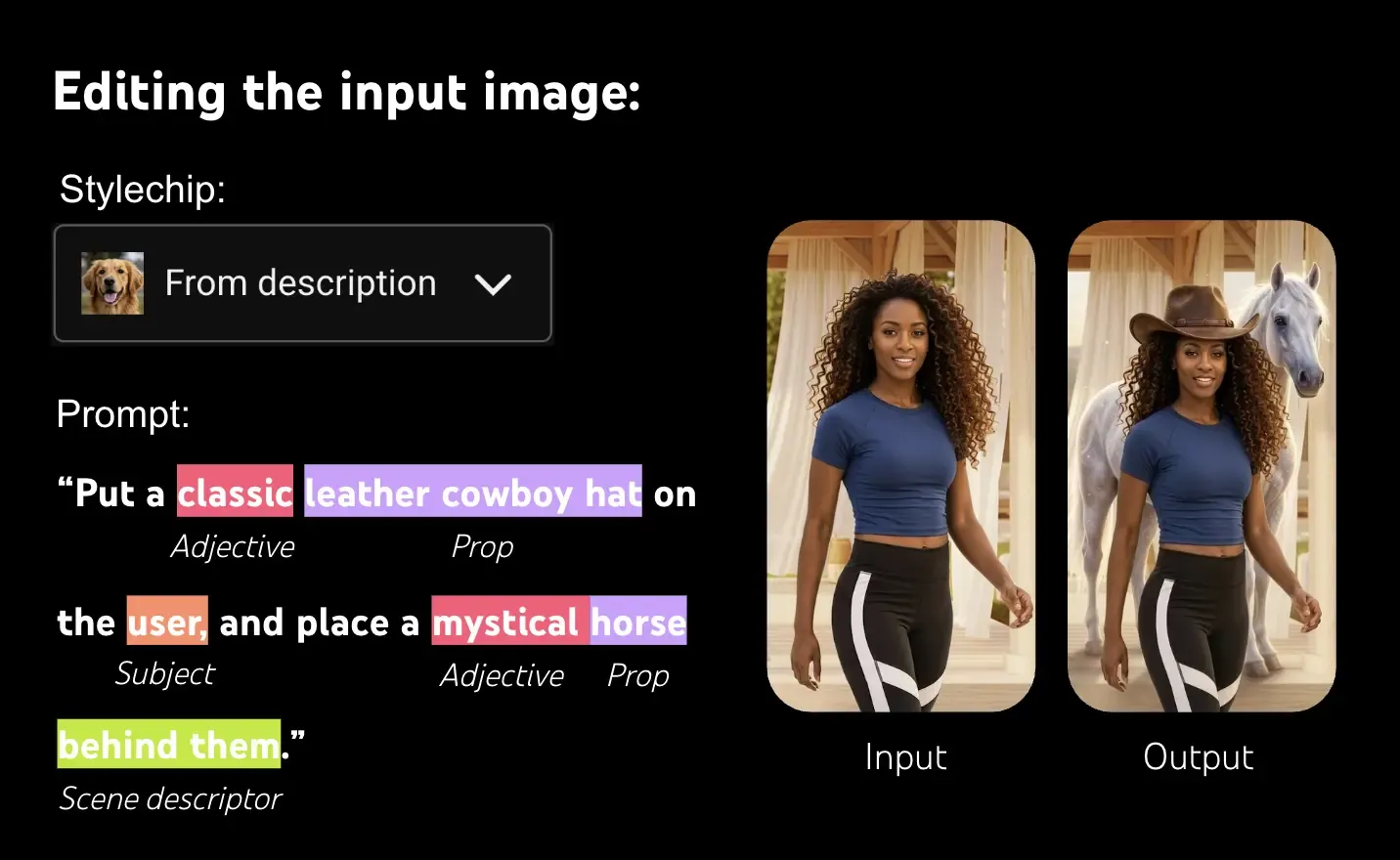
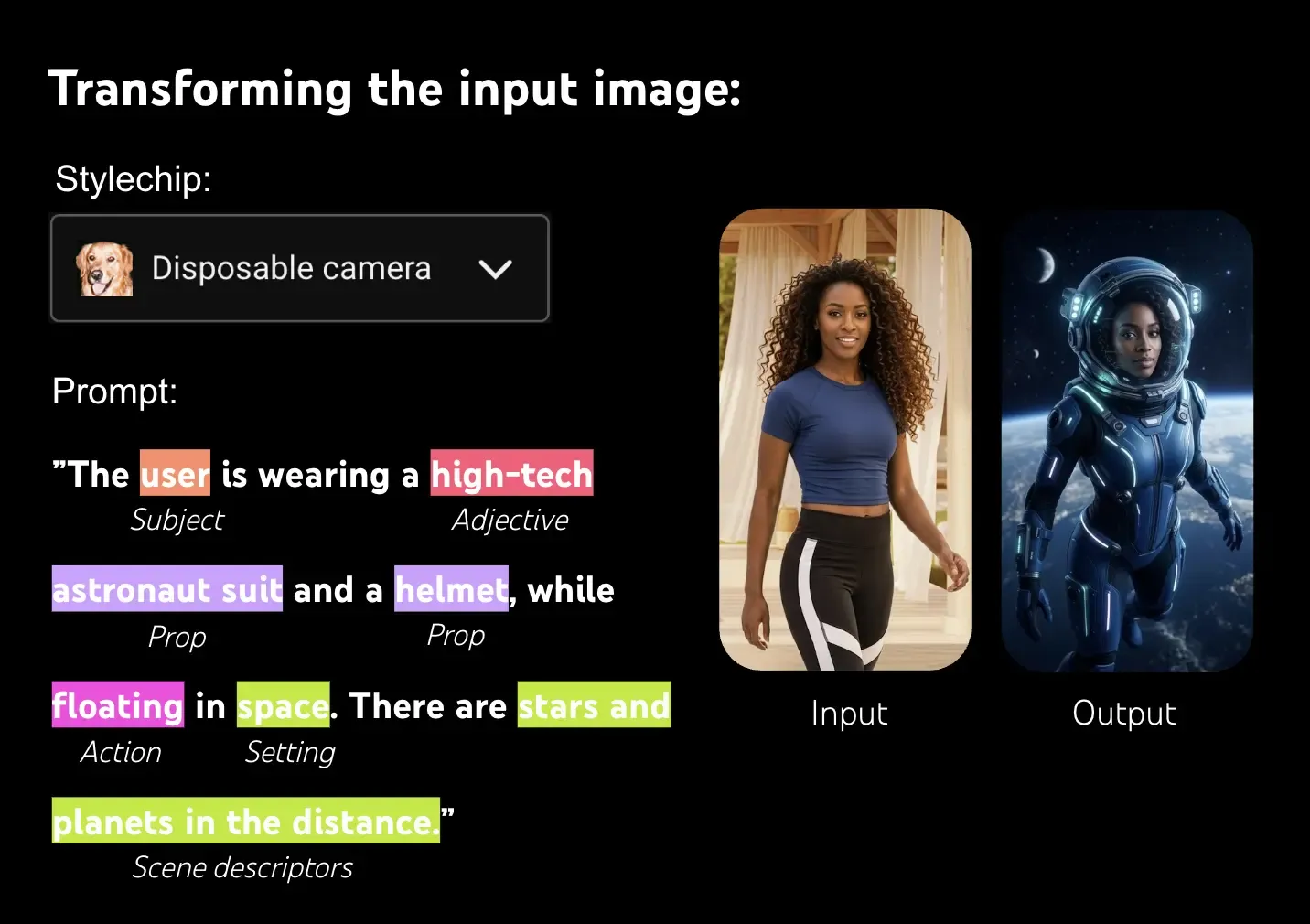
Your prompt type depends on whether you seek an edit or a full transformation.
- Edit the Image:
Add or remove elements from the existing image.- Example Add a disco ball and party lights.
- Full Transformation:
Keep the user's likeness while generating a new scene.- Example The user is wearing an astronaut suit while floating in space.
Use specific, detailed language (e.g., "crochet doll" instead of "turn me into a crochet doll"). Follow these steps to structure your prompt ↓
- Start with the Medium or Technique
(defines style)- Examples oil painting, watercolor sketch, charcoal drawing.
- Add an Artistic Movement or Genre
(provides aesthetic context)- Examples impressionism, art nouveau, surrealism.



May 27
June 29
July 14
Who can participate in this Challenge?
- You must be at least the age of majority in your country, state, province, or jurisdiction of residence at the time of entry.
- To use Effect Maker and participate in this Challenge, you have to reside in one of the following countries or regions: Algeria, Argentina, Aruba, Australia, Azerbaijan, Bahrain, Bangladesh, Bermuda, Bolivia, Bosnia and Herzegovina, Brazil, Cambodia, Canada, Cayman Islands, Chile, Colombia, Costa Rica, Dominican Republic, Ecuador, Egypt, El Salvador, French Polynesia, Georgia, Ghana, Guatemala, Honduras, India, Indonesia, Iraq, Israel, Jamaica, Japan, Jordan, Kazakhstan, Kenya, Kuwait, Laos, Lebanon, Libya, Malaysia, Mexico, Moldova, Montenegro, Morocco, Nepal, New Zealand, Nicaragua, Nigeria, North Macedonia, Northern Mariana Islands, Oman, Pakistan, Papua New Guinea, Paraguay, Peru, Philippines, Puerto Rico, Qatar, Saudi Arabia, Senegal, Serbia, Singapore, South Africa, South Korea, Sri Lanka, Switzerland, Taiwan, Tanzania, Thailand, Tunisia, Turkey, Turks and Caicos Islands, Uganda, United Arab Emirates, United States, Uruguay, Venezuela, Vietnam, Yemen, Zimbabwe. Learn more about getting started with Effect Maker
- Only users who have access to YouTube’s advanced creator features can use the Effect Maker. Learn how to get access to advanced features.
- If you are based in one of the countries listed above and still can’t access Effect Maker, please reach out to us at [email protected] and share your YouTube channel ID. Learn how you find your YouTube channel ID.
Residents of which countries can NOT take part?
Individuals who are residents of, or entities/organizations domiciled in countries noted in the EU list of non-cooperative jurisdictions: American Samoa, Anguilla, Dominica, Fiji, Guam, Palau, Panama, Samoa, Trinidad and Tobago, US Virgin Islands, Vanuatu, Seychelles, as well as any country that is under any trade or economic sanction or on any program or country list designated by the United States Treasury’s Office of Foreign Assets Control, or where the laws of the United States or local law prohibits their participation or receipt a prize in any contest and specifically excludes Russia, Belarus, Crimea, Donetsk, and Luhansk regions of Ukraine, Cuba, North Korea, Iran, and Syria. Also, if Effect Maker is not available in your country or region, you can’t participate in this Challenge.
How to take part?
- Register for the Challenge using the form below. You will receive an email confirming your registration.
- Go to Effect Maker and start creating!
- Once you’re happy with your effect, click “Publish” and make sure to record a YouTube Short showcasing your effect – a video link will be requested during the submission process.
- Then enter your effect into the challenge using the Challenge Submission Form, which you will be able to access once you register. You will receive an email confirmation once you submit your Effect.
- Keep in mind – You don’t need to register again to submit more Effects, and you’re more than welcome to create as many as you’d like, but you’ll have to submit each Effect separately.
- Want to join in on more of the fun? Join the Effect Maker Discord space by joining the official YouTube server at discord.gg/youtube. Follow the onboarding instructions and select “Effect Maker” for the “What kind of creator are you” question when joining. Already a part of the server?
Head to the “#🤙pick-your-role” channel and select “Effect Maker”.
Which Effects are eligible for this Challenge? Can I submit my older Effects?
Only newly-made Effects that reflect the Challenge theme are eligible for this Challenge.